 |
Open Test Framework
|
|
|
Open Test Framework
|
|
The OTF fully supports SOVD according to ISO 17978-3:2026. A user's offline capability description in JSON format can be loaded and displayed in the toolbox. Based on this, the user can program their OTX test logic. Checker rules verify the correctness of inputs, and a built-in SOVD Server Simulation allows testing the OTX procedures even without an available server.
The SOVD (Service-Oriented Vehicle Diagnostics) standard defines an API for a diagnostic system integrated within the vehicle. It enables diagnostic access to functions running on High Performance Computers (HPCs), as used in software-defined vehicles (SDVs), as well as to conventional ECUs. The API supports multiple use cases, including traditional on-vehicle diagnostics, remote support via network access, and diagnostic applications executed directly within the vehicle.
Note: An introduction into SOVD can be found in the blog OTX and SOVD.
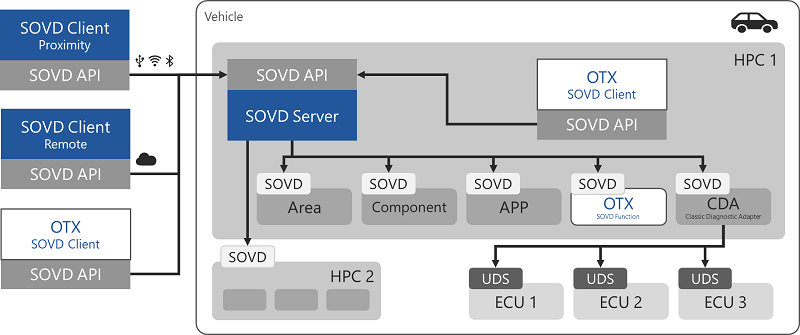
To configure a SOVD server, the file SovdServerList.json must be adjusted. The JSON file must be present in the OTX Runtime directory. This file contains a list of all SOVD servers. The first entry is returned by the term GetFirstDiscoveredServer. The complete list is returned by the term GetDiscoveredServers.
Note: The entry for the Simulative SOVD Server (
sovd-simulation) should always exist in the OTF.
Note: Automatic server discovery will be provided in a future version.
Example of SovdServerList.json in the OTX Runtime directory for the Simulative SOVD Server:
The Offline Capability Description (OCD) is used to statically describe the diagnostic capabilities of a vehicle without requiring an active connection to the vehicle. The OCD is a file in JSON or YAML format and provides a machine-readable description of the diagnostic functions supported by the SOVD server. It is typically used prior to the actual diagnostic communication.
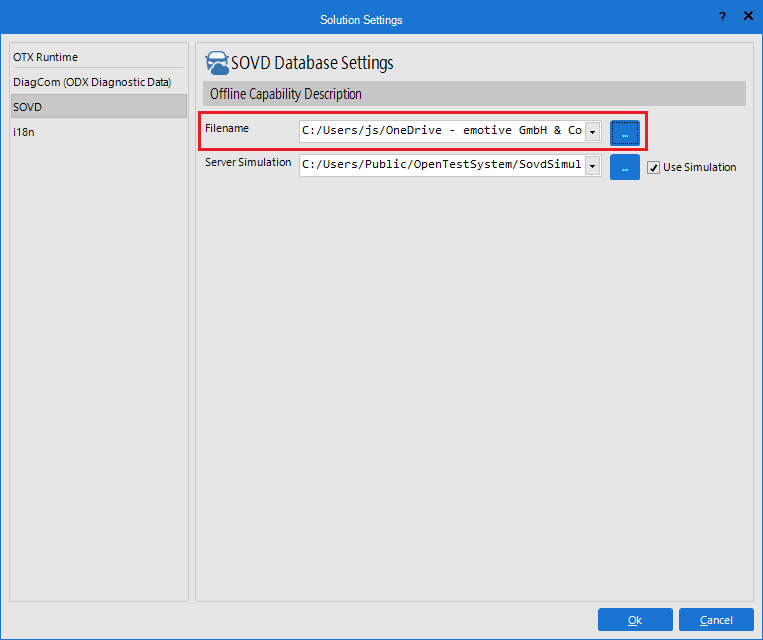
The OCD file is stored in the SOVD folder within the start project. The currently used OCD file is configured in the Solution Settings, as shown in the figure above.
Since an OCD file can be very large, it is converted into an internal format to enable efficient access. After the conversion, the OCD content is displayed in the toolbox, grouped by entities. Individual elements can be dragged from the toolbox into the designer to generate new actions or terms.
Note: The use of an OCD file is recommended, as it assists the author in creating diagnostic procedures and helps detect potential errors.
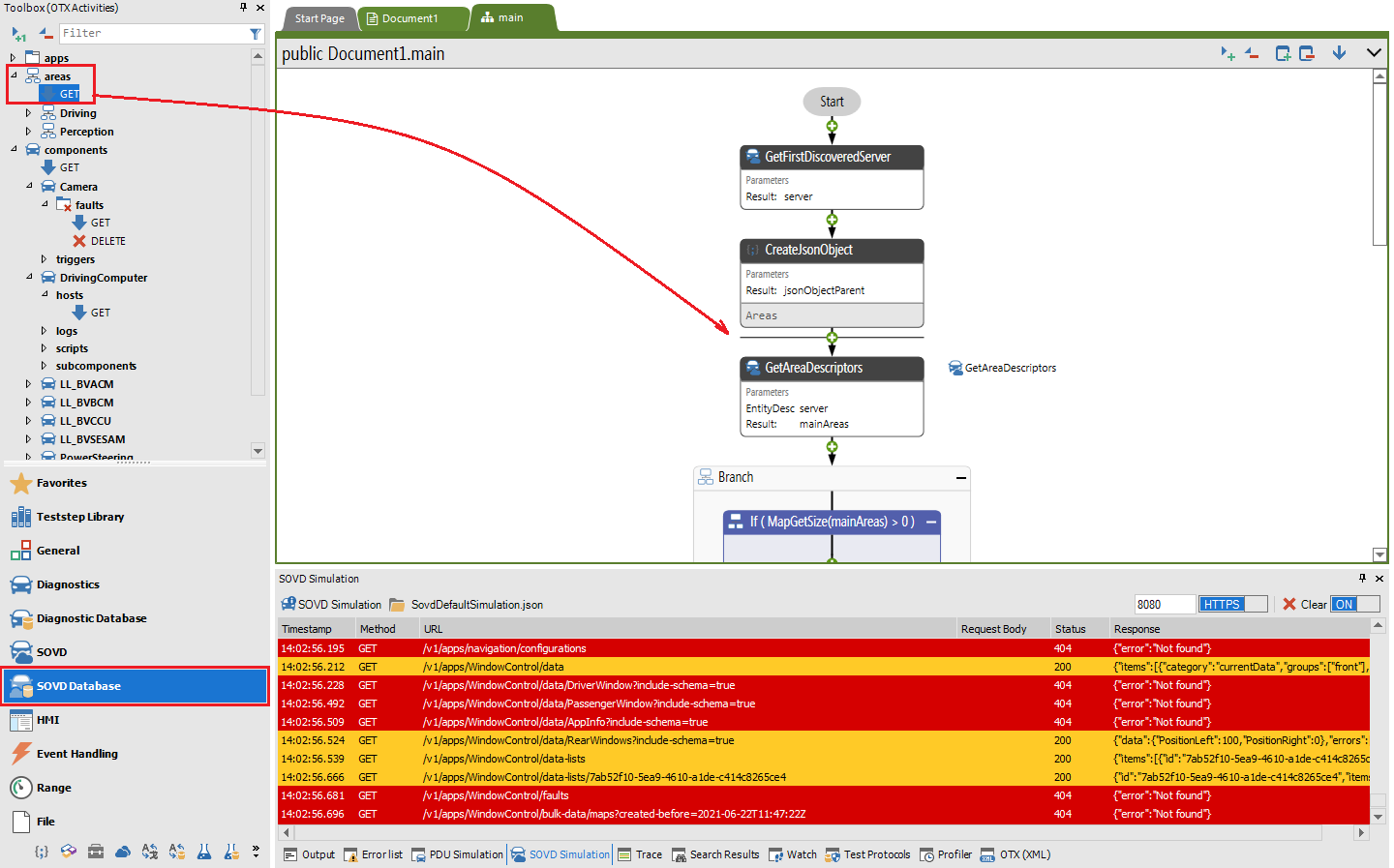
Below, two Example Offline Capability Descriptions can be downloaded in JSON and YAML format:
 Offline Capability Description in JSON Format
Offline Capability Description in YANL Format
To see the complete JSON file click here to fold.
The following OTX example in OTL notation demonstrates the application of the SOVD extension. It determines all errors found in the first-level components and returns them as a list.
To see the complete example click here to fold.